

Most blogging teams spend 40+ hours per week on content creation, yet still fall behind on publishing schedules. The gap between what your audience demands and what your team can manually produce keeps widening.
At Emplibot, we’ve seen firsthand how blogging automation tools transform this equation. The right automation platform handles keyword research, content generation, and multi-channel publishing-freeing your team to focus on strategy instead of repetitive tasks.
Why Manual Blogging Drains Your Budget
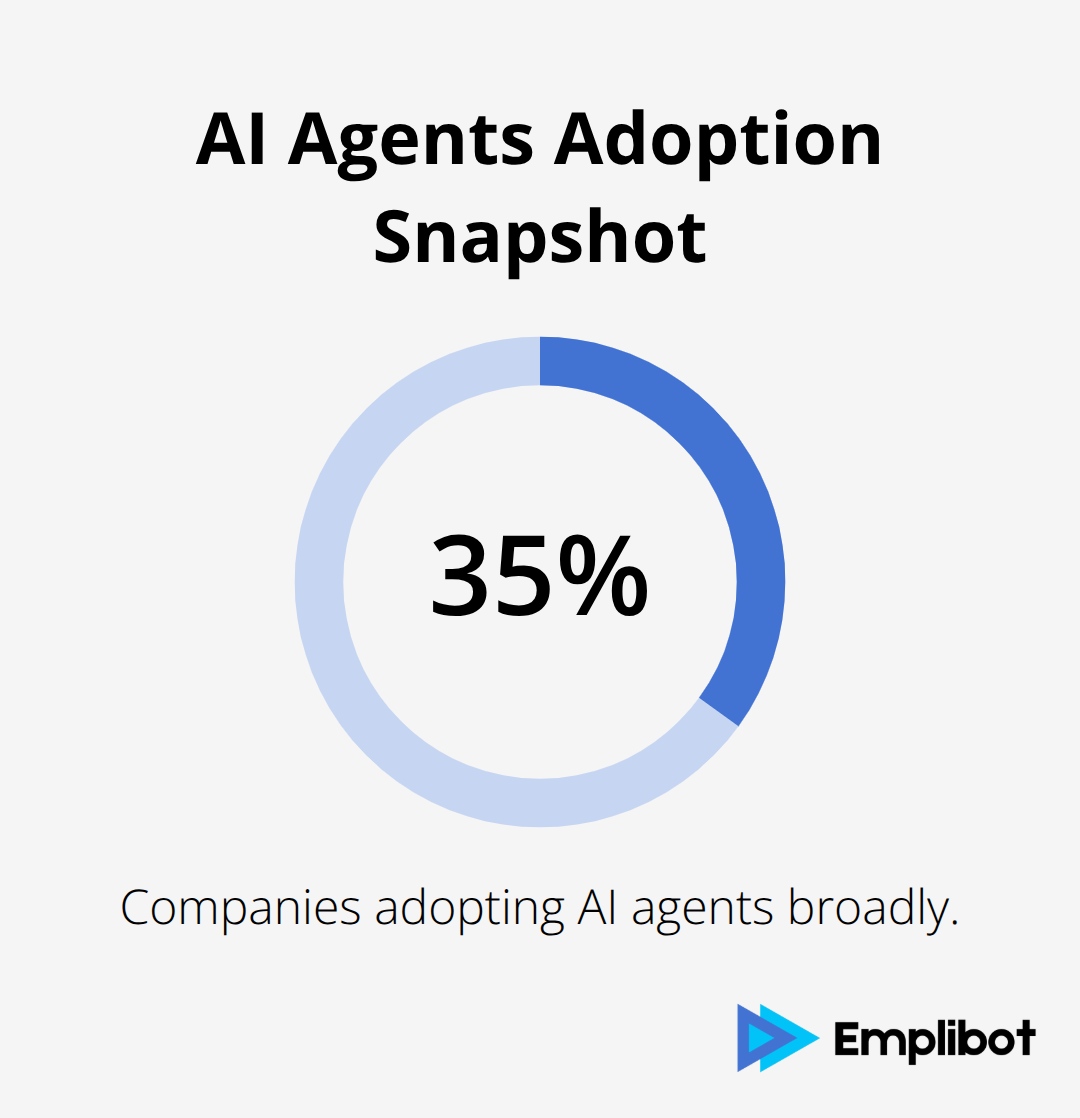
Manual blogging consumes resources at an unsustainable rate. Most blogging teams invest 40+ hours per week on content creation, yet still miss publishing targets. Each blog post requires keyword research, drafting, editing, SEO optimization, image sourcing, and multi-platform distribution-that’s seven separate workflows that compound time loss. A single 2,000-word article takes 6–8 hours from research to publication when done manually. Scale that to a weekly publishing schedule, and your team spends 24–32 hours per week on creation alone, before strategy work, audience engagement, or performance analysis enters the picture. AI agents adoption in enterprise shows that 35% of companies adopting AI agents are doing so broadly, yet most blogging teams still operate without automation. That gap represents wasted payroll hours and missed publishing windows.
The Real Cost of Repetitive Work
Long-form content creation forces your best people to handle repetitive tasks. Your writers spend time on keyword research when tools exist to surface 500+ monthly search volume opportunities automatically. Editors manually format meta descriptions and internal links instead of having those generated during creation. Social media managers repurpose blog content into LinkedIn posts, tweets, and email snippets-manual content repurposing can save 60-80% of content creation time with the right tools. This isn’t strategic work. It’s busywork that prevents your team from analyzing what content actually converts, testing new angles, or engaging directly with your audience.
The Scaling Problem No Hire Can Fix
The gap between content demand and output capacity grows wider because manual workflows can’t scale. If your audience needs two posts per week but your team produces one, automation isn’t optional-it’s the difference between staying relevant and falling behind. Most teams reach this breaking point and hire more writers, which doubles payroll costs without solving the underlying inefficiency. Automation addresses the root problem: the bottleneck isn’t talent, it’s process. Tools that handle keyword research, draft generation, SEO optimization, and cross-platform publishing compress weeks of work into days, freeing your team to focus on strategy that actually moves the needle.
This efficiency shift changes everything about how your team operates. Instead of fighting capacity constraints, your team works with systems that multiply output. The question isn’t whether you can afford automation-it’s whether you can afford to keep operating without it. Understanding what these tools actually do is the first step toward reclaiming your team’s time and attention.
How Automation Tools Handle Your Entire Content Workflow
Blogging automation tools operate across three interconnected stages that compress weeks of manual work into days. The first stage surfaces high-value topics before your team writes a single word. Tools like Ahrefs identify keywords with 500+ monthly searches and low competition, eliminating the guesswork from topic selection.
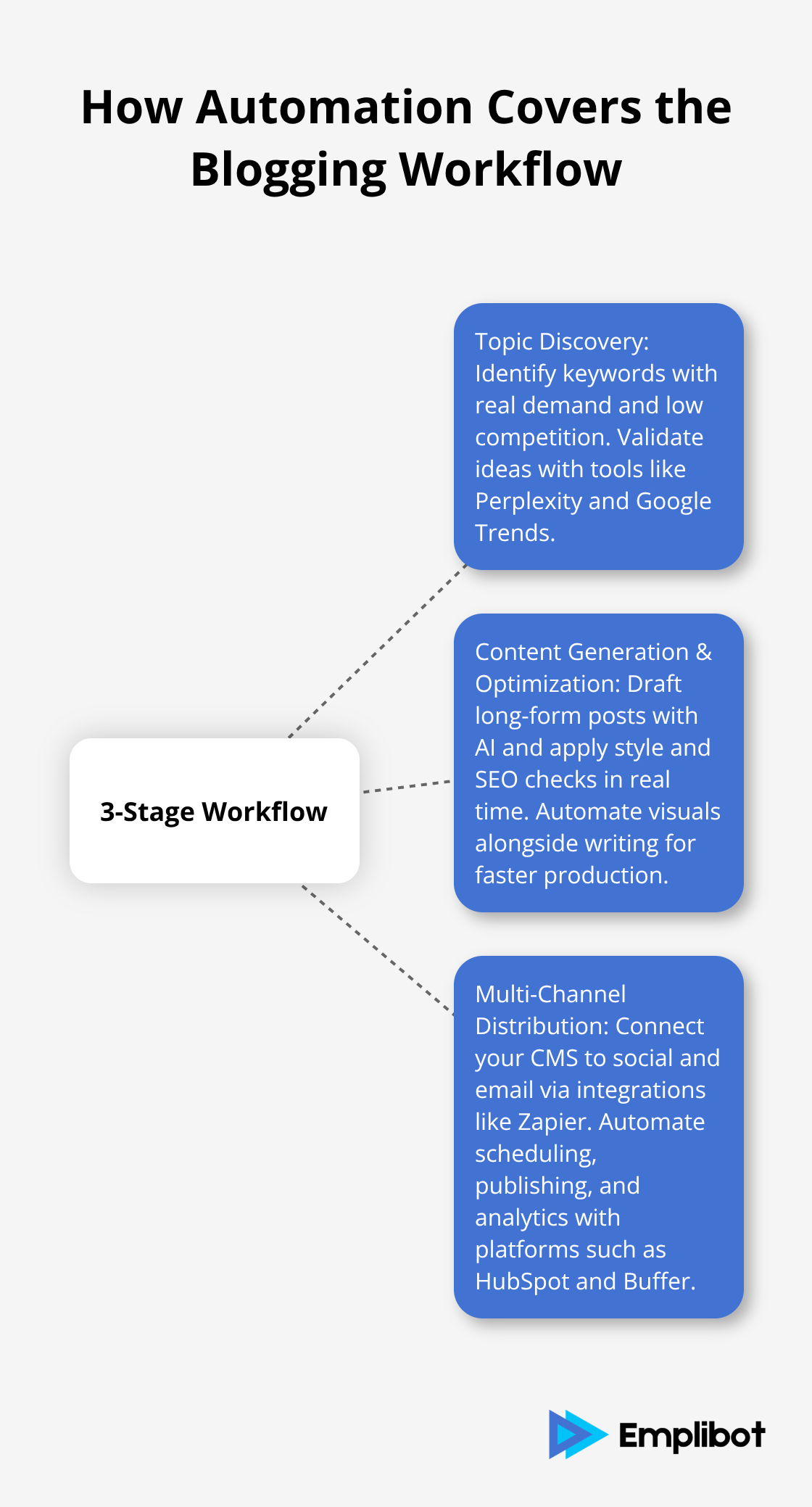
Perplexity and Google Trends validate these ideas against current search behavior, so your content targets demand that actually exists. Most teams waste time on topics nobody searches for, which makes this validation step essential.
From Topic Discovery to Content Generation
Once you know what to write about, the second stage kicks in: content generation and optimization. AI models like Claude and ChatGPT draft long-form posts when you prompt them effectively, while tools like Grammarly handle grammar and style consistency automatically. Yoast SEO and All-in-One SEO analyze drafts for readability and keyword placement in real time, eliminating the back-and-forth between writers and editors. Image generation happens simultaneously through Canva with Magic Write, so you avoid sourcing stock photos manually. This integrated approach means your team moves from research to publication-ready content without switching between disconnected tools.
The Distribution Stage That Changes Everything
The third stage is distribution, which is where most manual workflows fail catastrophically. A single blog post should become LinkedIn posts, email snippets, Twitter threads, and newsletter content automatically. Tools like Zapier connect your WordPress blog to seven thousand plus apps, triggering cross-platform publishing without human intervention. HubSpot automates social sharing on publication, while Buffer schedules and analyzes performance across channels. This three-stage pipeline transforms blogging from a fragmented series of handoffs into a cohesive system where each piece of content multiplies across channels.
Measuring the Time Compression
Automation can significantly reduce content creation time with the right tools. A 2,000-word article that takes 6–8 hours manually can be drafted, optimized, and distributed in under 2 hours with automation handling the repetitive components. Most teams underestimate how much time disappears into metadata tagging, internal linking, image optimization, and cross-platform formatting. Automation removes these friction points entirely. The cost difference between manual and automated workflows is stark: payroll for additional writers versus subscription fees for tools that do the work. Most teams discover that automation pays for itself within the first month by recovering just 10–15 hours of weekly team time.
Choosing Tools That Fit Your Stack
The key is selecting tools that integrate seamlessly with your existing stack rather than forcing you into new workflows. If you use WordPress, plugins that automate scheduling, social sharing, comment moderation, and SEO improvements stay within your familiar environment. If you rely on HubSpot for CRM work, its AI tools draft social posts and emails while analyzing buyer intent, keeping everything connected. Tools that work within your current systems reduce friction and accelerate adoption across your team.
The practical advantage extends beyond time savings. When automation handles keyword research, content creation, and SEO optimization simultaneously, your team stops fighting capacity constraints and starts working with systems that multiply output. This efficiency shift opens the door to a critical question: what should your team actually focus on once the repetitive work disappears? The answer determines whether automation becomes a cost-cutting measure or a strategic advantage that transforms how your business competes.
Picking Tools That Match Your Real Workflow
Choosing a blogging automation tool means matching capabilities to your actual bottlenecks, not chasing feature lists. Start by identifying which stage of your workflow wastes the most time: keyword research, content drafting, SEO optimization, or distribution. Tools like Ahrefs surface 500+ monthly search volume keywords with low competition, but they won’t help if your bottleneck is drafting speed.
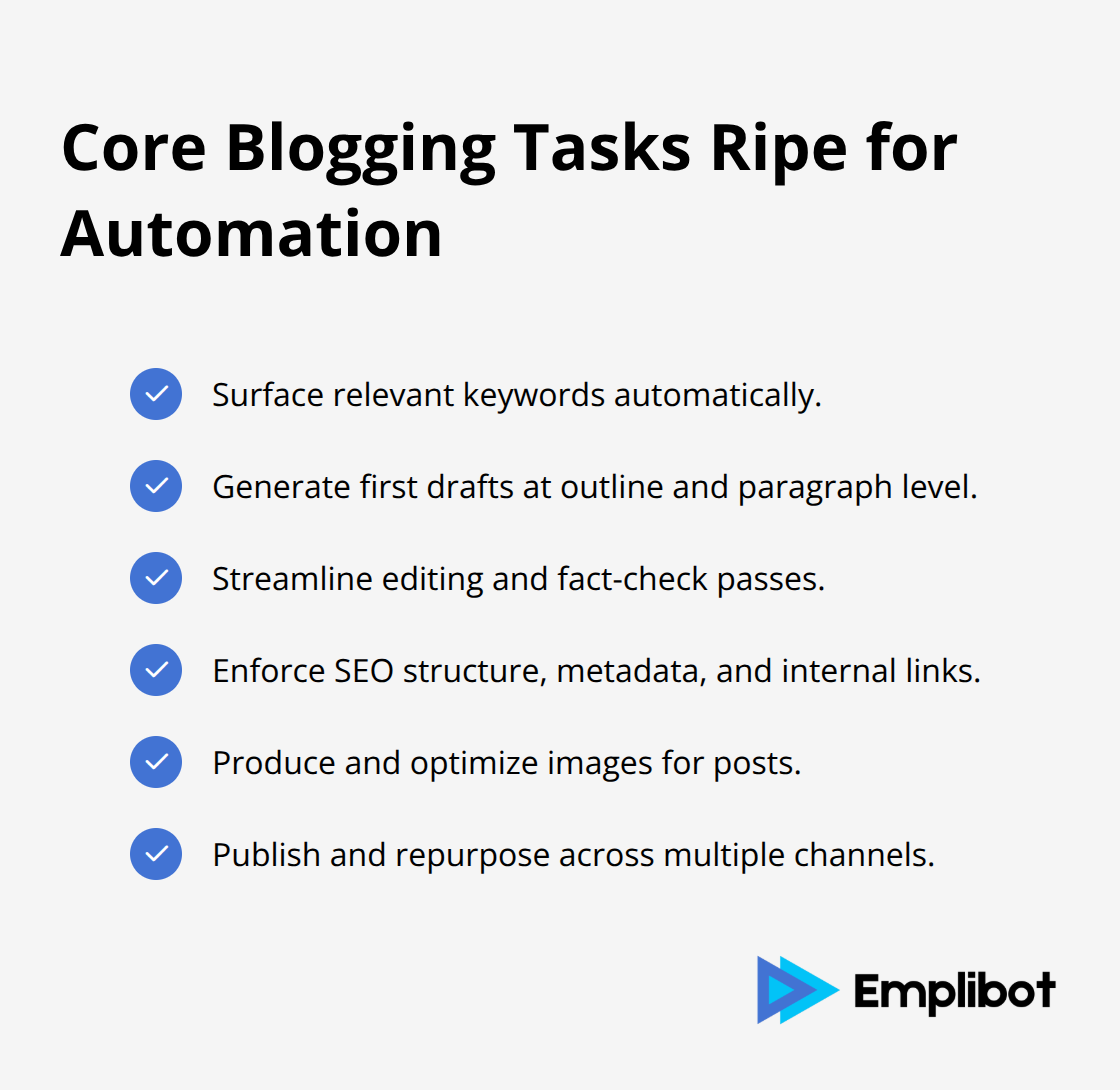
Claude and ChatGPT handle long-form generation effectively when prompts are structured well, but they won’t optimize for SEO automatically. Grammarly catches grammar and style issues in real time, yet it doesn’t publish across platforms. Most teams make the mistake of buying tools that solve problems they don’t have while ignoring the ones that actually drain hours weekly. Zapier connects apps and handles cross-platform publishing, but only if your CMS integrates properly. HubSpot automates social sharing on publication and analyzes buyer intent simultaneously, making it valuable for teams managing both content and leads. Yoast SEO analyzes content for readability and keyword placement in real time, preventing the back-and-forth that kills productivity. The right choice depends on whether you need a single specialized tool or an integrated platform.
Match Tools to Your Existing Stack
WordPress users benefit from plugins that stay within their existing environment, automating scheduling, social sharing, comment moderation, and SEO improvements without forcing new workflows. If you already use HubSpot for CRM, its AI tools draft social posts and emails while keeping everything connected to your customer data. Integration matters more than feature count because disconnected tools create friction that automation is supposed to eliminate. Emplibot automates your WordPress blog and social media by handling everything from keyword research to content creation and SEO optimization, producing high-quality content tailored to your business and distributing it across platforms like LinkedIn, Facebook, and Twitter. The integration factor determines whether your team adopts the tool or abandons it after a few weeks.
SEO Quality and Content Standards Matter More Than You Think
SEO capabilities vary dramatically across tools, and weak optimization wastes the entire automation investment. Yoast SEO analyzes drafts for keyword placement, readability, and internal linking suggestions in real time, preventing SEO mistakes before publication. All-in-One SEO generates meta tag suggestions and keyword recommendations automatically, compressing work that typically requires manual review. Content at Scale generates long-form blog content from a single keyword and incorporates SEO optimization during creation, not after. G2 and Capterra ratings show that Yoast averages around 4.4/5, while All-in-One SEO hovers near 4.3/5, indicating solid reliability for most blogging workflows. The critical distinction is whether the tool validates content quality before publication or leaves that responsibility to your team. Tools that integrate grammar checking with SEO analysis reduce the number of manual review cycles required. Grammarly for Business automates grammar, spelling, and style consistency while flagging potential plagiarism, ensuring your automated content maintains brand voice. Hemingway Editor highlights complex sentences and reduces passive voice automatically, improving readability scores without human intervention. The combination of SEO optimization and quality checking determines whether automation produces publication-ready content or draft material that requires heavy editing.
Distribution Capabilities Determine Whether Automation Actually Scales
Distribution is where most automation efforts fail because teams pick tools that handle one platform well but create friction elsewhere. Zapier connects your WordPress blog to Facebook, LinkedIn, Twitter, and email marketing platforms simultaneously, triggering cross-platform publishing without manual intervention. HubSpot automates social sharing on publication while analyzing performance across channels, keeping distribution data connected to your CRM. Buffer schedules and analyzes posts across multiple social channels, including automatic reposting of top-performing content. Hootsuite manages publishing across networks with real-time brand mention data and trend analysis, plus OwlyGPT for brainstorming. Sprout Social targets enterprise brands with centralized dashboards and collaboration tools, though pricing starts at 79 dollars per seat. Planable offers a simpler approach for freelancers and small agencies with Google Business Profile and Pinterest integrations, rated 4.6/5 on G2. Ordinal focuses on end-to-end social automation with collaborative editorial calendars and live post engagement features, starting at 95 dollars monthly. Plot targets consumer brands with AI-driven UGC database and social listening for video conversations, used by Visa, Tory Burch, and Cava. The practical question is whether your chosen tool publishes to the channels where your audience actually spends time. If your strategy requires LinkedIn distribution, Pinterest sharing, and email newsletter inclusion, pick a tool that handles all three without requiring manual copying. Tools that republish content automatically across channels save 60-80% of content creation time compared to manual repurposing. A single article should generate short-form posts, email snippets, and social captions automatically, not require your team to rewrite the same message five different ways.
Final Thoughts
Automation transforms blogging economics in ways that spreadsheets rarely capture. When your team recovers 15–20 hours weekly by eliminating keyword research, formatting, metadata tagging, and cross-platform distribution, that time compounds into strategic work that actually moves revenue. A single writer freed from repetitive tasks can test new content angles, analyze which posts convert readers into customers, or engage directly with your audience instead of fighting production deadlines.
Most teams underestimate how much capacity blogging automation tools unlock. A 2,000-word article that consumes 6–8 hours manually takes under 2 hours when automation handles research, drafting, SEO optimization, and distribution simultaneously. Scale that across a weekly publishing schedule, and you recover 20–30 hours per week-equivalent to hiring a full-time content specialist without the salary, benefits, or onboarding friction. The payoff accelerates when you consider that automated content reaches more channels, with a single post becoming LinkedIn articles, email snippets, and social captions without manual rewriting.
Starting your first automated campaign means picking one bottleneck and solving it completely. If keyword research drains your team, begin with Ahrefs or Perplexity to surface 500+ monthly search volume opportunities automatically. If distribution consumes hours, implement Zapier or HubSpot to publish across platforms simultaneously. Emplibot automates your WordPress blog and social media by handling everything from keyword research to content creation and SEO optimization, producing high-quality content tailored to your business and distributing it across LinkedIn, Facebook, and Twitter.